Caption styles
| Style | Best for |
|---|---|
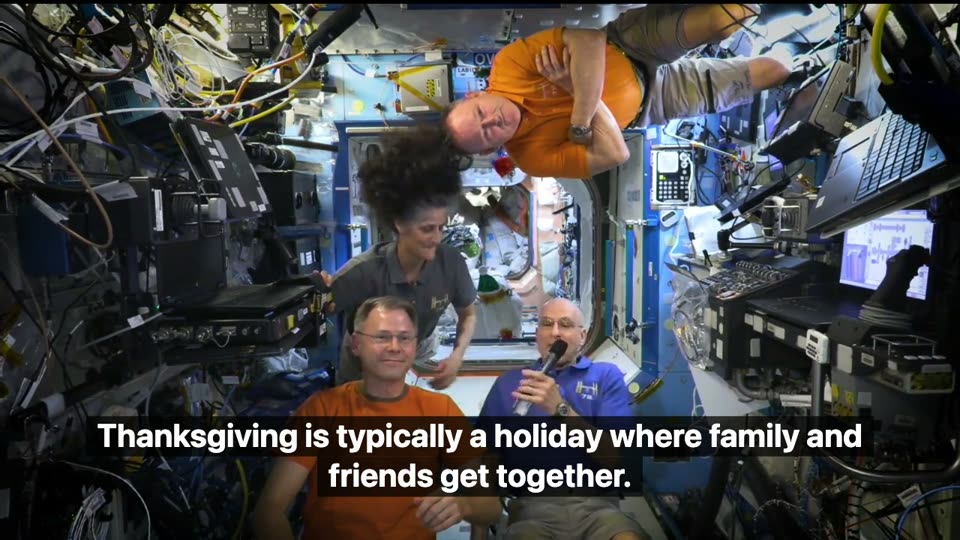
| Black box, size M | Talks, interviews, tutorials — easiest to read on busy backgrounds |
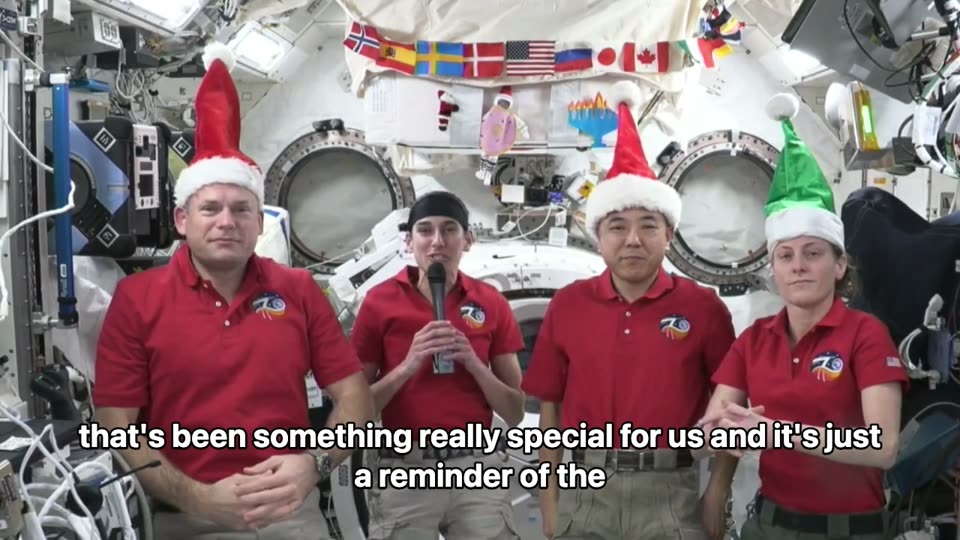
| White outline, size L | Reels and TikTok over bright footage |
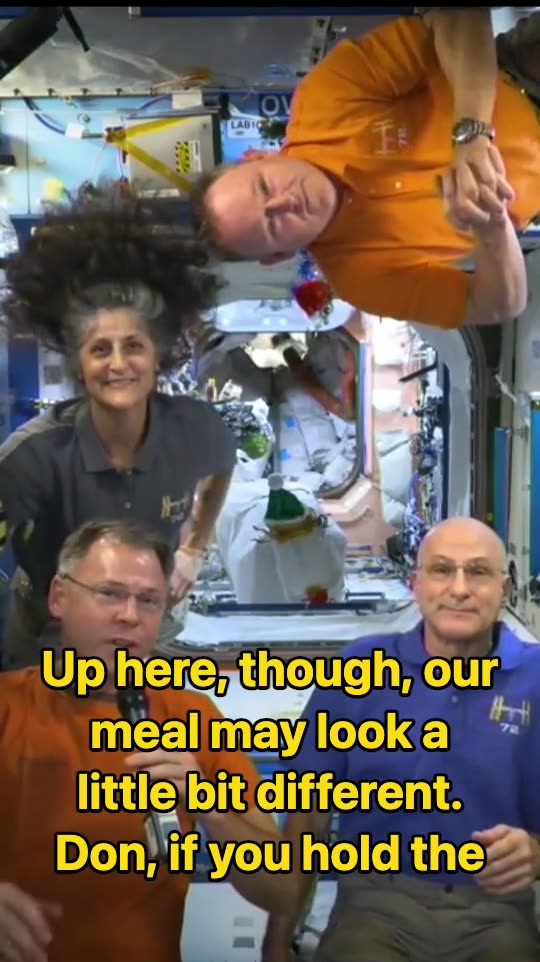
| Yellow, size L | Shorts and ads where captions should pop |
| Top position | Clips where the app's buttons and caption cover the bottom third |
Why it runs in your browser
- Privacy: the video is never uploaded. The speech model (OpenAI's Whisper, base size) downloads once — about 80–210 MB — and is cached by your browser.
- Speed: with a graphics card (WebGPU in Chrome or Edge) a 10-minute video is usually transcribed in one to three minutes; on older laptops it runs on the CPU and takes longer.
- Exporting plays the video through once in real time, so a 3-minute clip takes about 3 minutes. Keep the tab open and visible.
- Chrome and Edge save an MP4 (Safari too); Firefox saves WebM. Phones work for short clips; a computer is faster.
ScribeCue vs. VEED, Clideo and Canva
| ScribeCue | VEED | Clideo | Canva | |
|---|---|---|---|---|
| Account needed | No | Yes | — | Yes |
| Watermark on free export | None | Yes | Yes | No on free elements |
| Where your video goes | Stays on your device | Uploaded to VEED | Uploaded to Clideo | Uploaded to Canva |
| Automatic subtitles | Yes, ~100 languages | Yes | Yes | Yes |
| Edit lines and timing | Yes | Yes | Yes | Yes |
Competitor details are from their public pages, checked 4 November 2026; a dash means we could not confirm it.
VEED and Canva are full video editors with templates and stock media; pick them when you need a whole edit. ScribeCue does one job — subtitles on your video, no watermark, without uploading it.
Free, and what needs a plan
| Free | Pro ($12/mo) or any pack (from $6) | |
|---|---|---|
| Video length | Up to 10 minutes | Any length your browser can play |
| Watermark | None | None |
| Automatic subtitles, editing, styles | Yes | Yes |
| SRT / VTT / burned-in video | Yes | Yes |
| Server transcription with speaker labels (30+ languages) | Uploads, 120 free min/month | Pro 1500 min/month or pack minutes |
Because subtitles are made on your device, long videos on Pro or a pack don't use any of your minutes.
Tips for accurate auto captions
- Pick the spoken language instead of auto-detect when the first seconds are music or silence.
- Names and brand words are the usual misses — fix them once in the list and they're right in every export.
- Long sentences are split into short caption lines automatically; edit start times if a line appears too early.
- Need speaker names or a transcript document as well? Use video to text for a server transcript with speaker labels.
Frequently asked questions
Is there a free auto caption generator with no watermark?
Yes. ScribeCue generates captions in your browser and exports the captioned video with no watermark and no sign-up for videos up to 10 minutes.
Does it work for Instagram Reels, TikTok and YouTube Shorts?
Yes. Vertical videos are supported; choose size L and a Yellow or White outline style, then upload the downloaded video to the app.
How accurate are the auto captions?
Clear speech usually comes out close to word-perfect; music, crosstalk and strong accents add errors. Every line can be edited before export.
Do I need to install anything?
No. It runs in Chrome, Edge, Safari or Firefox. The speech model downloads once and is cached.
Can I get the captions as an SRT file?
Yes — download SRT or VTT at any time, free.